Introducing Alt Alpha: Explore alternative keyboard layouts
Almost a year ago I switched to the ZSA Voyager, a programmable, ergonomic split keyboard that features four thumb buttons per hand instead of the single spacebar found on traditional keyboards. After having a lot of fun optimizing my keyboard layout and customizing shortcuts, I got interested in alternative alpha keyboard layouts. The 'AKL' scene is still actively developing new layouts with many great new options in the last two years. I found it hard to choose and fun to compare, so in this post I'll introduce a new tool I built: altalpha.timvink.nl
Alternatives to QWERTY
We all know QWERTY is flawed. It was designed in 1873 for typewriters, not ergonomic comfort. It requires frequent, uncomfortable finger stretches and high same-finger utilization. While you can certainly type fast on QWERTY (world record of 305 wpm), it requires more effort than necessary.
Alternative layouts aim to fix this. There are many great options. I highly recommend Pascal Getreuer's Guide to alt keyboard layouts which recommends as a very solid pick the 2024 gallium layout:
But is that the best one? And what about those thumb buttons?
Thumb layouts
Having a keyboard with multiple thumb buttons opens up an interesting opportunity: What if you assign a letter to a thumb key?. The Pressing E with the Thumb article explores this concept in depth. For example, the night (2024) 'thumb' layout assigns the r to one of the left thumb buttons:
These thumb layouts only make it harder to choose a layout.
How to pick a layout?
Note that creating a new layout is non-trivial. There are \(26! \approx 4.03 \times 10^{26}\) possible combinations for the 26 letters of the English alphabet. If it took 1 nanosecond to review a layout, it would take ~3.17 billion years to review them all. The alternative keyboard layout community is vibrant, with enthusiasts using optimizers and statistical analysis to design better layouts. In recent years there has been significant progress with new layouts performing very well on a range of metrics. Examples include layouts like Enthium v11, nordrassil rejuvened or the Hands Down Neu variants.
Learning a new layout is not an easy undertaking. It's worth it according to many who have made the investment. But making a good choice is hard. Now it's true that any reasonable choice is going to be a huge upgrade from QWERTY. The relative differences between good layouts are a lot smaller. That said, it's still very interesting to search for a layout that fits best for your personal preferences.
Introducing Alt Alpha Ranker
I decided to deep dive into this rabbit hole and build my own tool to compare and test these layouts: altalpha.timvink.nl. It has a ranking board for layouts, but you can also use a typing test to try what a layout 'feels' like, without learning it! The trick there is to translate the corresponding characters to a keyboard layout you can already touch type.
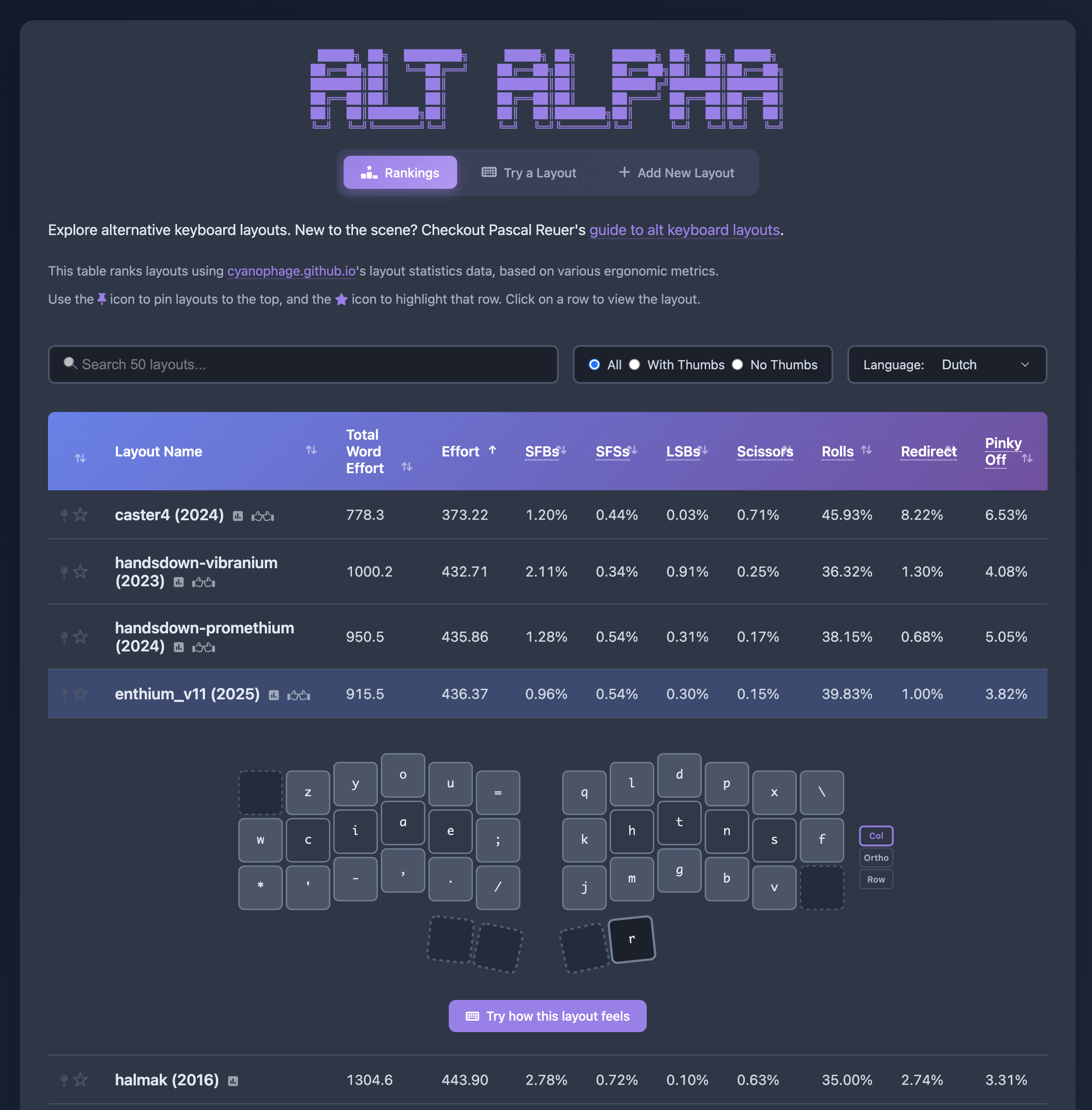
Layout Rankings
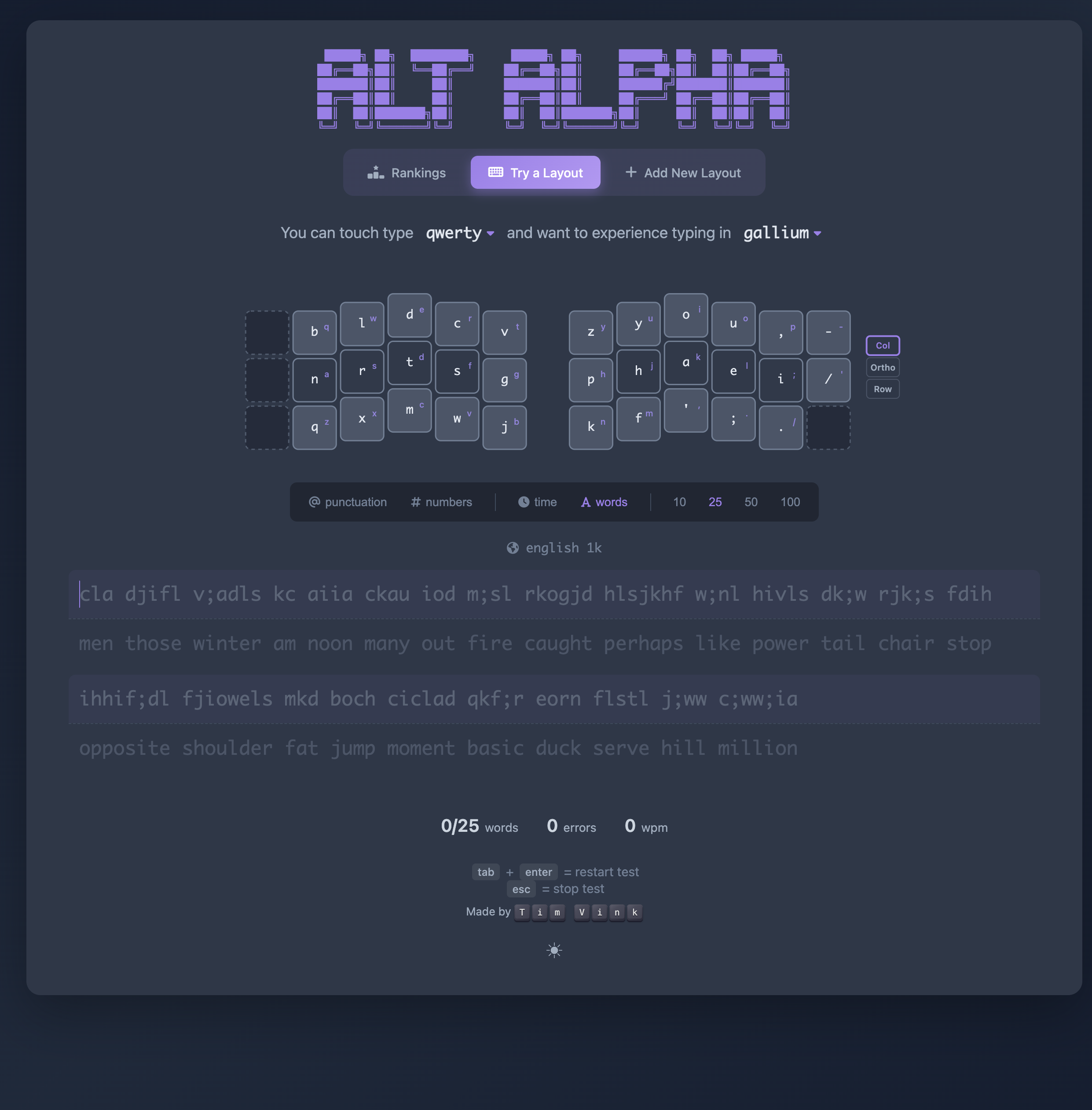
Typing Test
The tool focuses on Latin-language layouts and intentionally excludes esoteric concepts like Magic Keys or Repeat Keys to keep comparisons fair and approachable.
How It's Built
For those technically inclined, here are a few highlights of the project:
Visualization & Parsing
I wrote a custom keyboard.js class to manage layout definitions. This powers the keyboard_visualization.js renderer and cyanophage.js, a module that generates URLs for the Cyanophage layout playground.
Scraping metrics
Cyanophage has built an excellent keyboard layout ranking engine. We use the generated Cyanophage url for a layout and then scrape the corresponding metrics.
The Typing Test
The typing test interface was inspired by Monkeytype. I even used their open-source 1k word language datasets to ensure the test content is representative of real-world usage.
Let users add layouts
Layouts are constantly evolving. To keep up, I built an automated workflow:
- The Add new layout page includes a parser that converts text-based layouts into a configuration format.
- Clicking "Create GitHub issue" pre-fills the issue body with the correct YAML configuration.
- The issue is assigned to GitHub Copilot, which automatically opens a Pull Request to update
config/layouts.yml. - Once merged, a GitHub Action runs
scripts/scrape_stats.pyto scrape any missing layout data and commits it todata.json, triggering a redeploy of the website.
Tracing r/KeyboardLayouts
Many new layouts are announced on Reddit. So I built a scraper (scripts/scrape_reddit.py) for r/KeyboardLayouts that uses Reddit's RSS feed to extract posts and comments. Those are then passed to an LLM. If the post or comment is deemed a new layout, a new GitHub issue will be created and assigned to me to review it.
Conclusion
I still haven't picked a layout to learn! But building the tool was a lot of fun. Hopefully it's useful for the community.
If you want to dive deeper, here are some good starting points:
- layout wiki's recommendations
- Pascal Getreuer's Guide to alt keyboard layouts